How to Fix DNS Email Issues: MX, SPF, DKIM and DMARC Explained
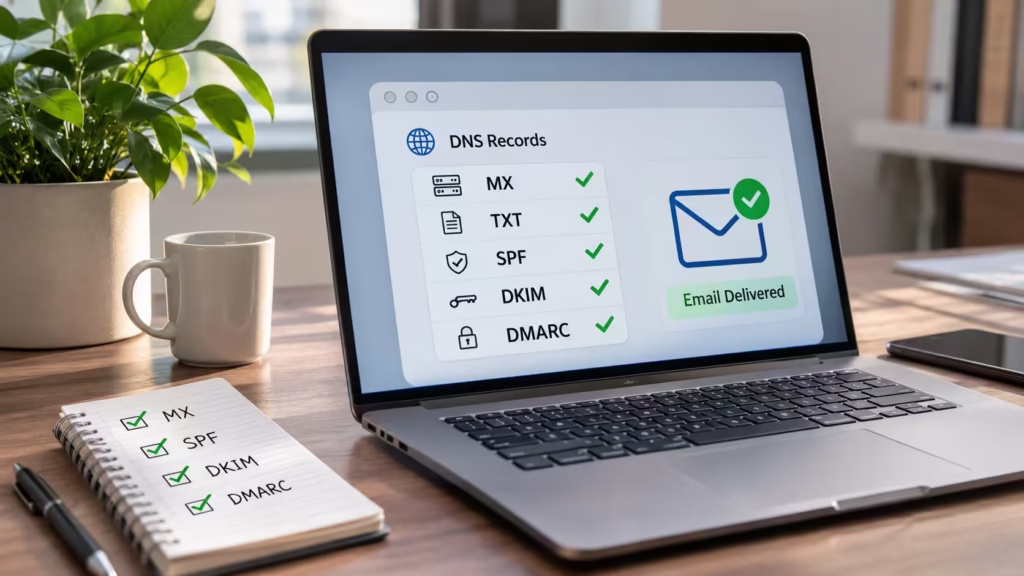
Most “my website is broken” and “my emails are going to spam” problems I fix turn out to be DNS email issues or domain record mistakes, not hosting problems.
A site that vanishes after a hosting move, a contact form whose emails never arrive, or a Gmail inbox that rejects your invoices usually has a perfectly healthy server. A record is missing, wrong or duplicated, and traffic is being sent to the wrong place.
This guide covers the records I touch most often (A, CNAME, MX, TXT, SPF, DKIM and DMARC), how I diagnose each failure and the mistakes I see repeatedly. It is written for business owners who want to understand what their developer is doing, and for developers who want a quick checklist. If you are moving servers, also read how to test a WordPress site on a new host before changing DNS.
DNS in plain English
DNS is the internet’s address book: it tells browsers and mail servers where your domain’s website and email actually live.
Each entry in that address book is a DNS record. Your domain’s records are stored on its authoritative nameservers, and the first thing to check on any problem is who controls those nameservers. It is usually one of three places:
- The registrar (GoDaddy, Namecheap, Hostinger and similar), if you never changed the nameservers.
- Your hosting provider, if you pointed the nameservers to them.
- Cloudflare or another DNS service, if you moved DNS there.
A very common mistake is editing records in the hosting panel while the nameservers point to Cloudflare. The change saves successfully and does nothing, because that panel is no longer the active address book.
Every record also has a TTL (time to live), the number of seconds other servers may cache it. A TTL of 3600 means a change can take up to an hour to be seen everywhere. Lowering the TTL to 300 a day before a migration makes the cutover far smoother.
The DNS records that matter
Six record types cover almost every domain and email fix. The examples below use placeholder values.
| Record | What it does | Example value |
|---|---|---|
| A | Points a name to an IPv4 address (your server) | example.com → 203.0.113.10 |
| AAAA | Same as A, for IPv6 | example.com → 2001:db8::10 |
| CNAME | Makes one name an alias of another | www → example.com |
| MX | Says which servers receive email for the domain, lowest priority number first | 10 mx1.mailhost.com |
| TXT | Holds free text used for verification and email security (SPF, DKIM, DMARC) | v=spf1 include:_spf.google.com ~all |
| NS | Names the nameservers in charge of the domain | ns1.dnshost.com |
Two rules cause a lot of trouble:
- A CNAME cannot sit alongside other records on the same name. You cannot put a CNAME on the root domain (
example.com) while MX and TXT records also live there. - MX records must point to a hostname, never directly to an IP address, and that hostname must itself have an A record.
How to fix DNS email issues with SPF, DKIM and DMARC
Gmail, Outlook and Yahoo increasingly require SPF, DKIM and DMARC, at least from bulk senders, and mail from a domain without them is far more likely to land in spam or be rejected.
SPF lists the servers allowed to send email for your domain. It lives in a TXT record on the root domain:
v=spf1 include:_spf.google.com include:sendgrid.net ~allDKIM adds a cryptographic signature to each message so receivers can confirm it was not altered. Your email provider generates the key, and you publish it as a TXT record (or CNAME, depending on the provider) on a name like selector._domainkey.example.com.
DMARC tells receivers what to do when SPF or DKIM fail, and where to send reports. Start in monitoring mode, then tighten:
v=DMARC1; p=none; rua=mailto:dmarc@example.comOnce reports show only legitimate senders, move p=none to p=quarantine, and later to p=reject.
The mistakes I see most often:
- Two SPF records on one domain. Only one is allowed. Merge them into a single record, or SPF fails entirely.
- More than 10 DNS lookups in SPF. Too many
include:entries break the limit; remove services you no longer use. - A forgotten sender. The website’s contact form, the invoicing tool or the newsletter service sends mail too, and it is missing from SPF.
- DKIM published on the wrong name, often because the DNS host auto-appends the domain and the record ends up as
selector._domainkey.example.com.example.com. - Jumping straight to
p=rejectbefore checking reports, and blocking real mail.
Real-world fixes: symptom, cause and solution
These are the situations I am called in for most often.
| Symptom | Usual cause | How I fix it |
|---|---|---|
| Website down after moving hosts | A record still points to the old server, or nameservers were never updated | Update the A record (or nameservers) to the new host, then wait out the TTL |
| No emails arriving at all | Missing or wrong MX records, often removed during a hosting change | Restore the MX records from the email provider’s setup page, with the correct priorities |
| Emails arrive but go to spam | No SPF or DKIM, or DMARC set without alignment | Add or merge SPF, publish DKIM, then add DMARC in monitoring mode |
| Website form emails never delivered | WordPress sends through PHP mail from the web server, which SPF does not authorise | Send through an SMTP or transactional service and add it to SPF |
| “Not secure” or SSL error | Domain points to a different server than the one holding the certificate, or the certificate expired | Fix the A record, then reissue or renew the SSL certificate |
www works but the root domain does not (or the reverse) | One of the two names has no record or no redirect | Add the missing record and set one canonical version with a 301 redirect |
| Domain verification keeps failing | TXT record added to the wrong place, or the quotes and spacing were altered | Re-add the TXT exactly as given, on the right host name, and check it with a lookup |
A habit that has saved me many times: before changing anything, export or screenshot the existing records. Most disasters are not caused by a wrong new record but by a deleted old one nobody wrote down.
How I diagnose DNS problems
I always check what the world sees, not what the control panel claims. Three command-line checks answer most questions:
dig example.com A +short
dig example.com MX +short
dig example.com TXT +short
On Windows, nslookup -type=MX example.com does the same job. Add @8.8.8.8 to dig to ask Google’s public resolver instead of your own cache.
When a browser is easier, these free tools are my regulars:
- MXToolbox for MX, SPF, DKIM and blacklist checks in one place.
- whatsmydns.net to watch a change propagate across regions.
- mail-tester.com to send a test message and get a deliverability score.
- A DMARC report viewer (many free ones exist) to read the XML reports in plain language.
- SSL Labs to confirm the certificate, chain and expiry for the domain.
Need help fixing your domain or email?
DNS errors are small, but their effect is large: lost enquiries, missed invoices and a site that looks broken to customers. A short checklist to keep:
- Find out where the nameservers point before editing anything.
- Back up the existing records.
- Lower the TTL before a migration.
- Keep one SPF record, publish DKIM, and start DMARC at
p=none. - Verify with
digor MXToolbox instead of trusting the panel.
If your website, domain or business email is misbehaving after a hosting move, or you want it set up correctly the first time, I handle hosting fixes, DNS and email deliverability as part of my WordPress support and website services. Get in touch and I will take a look.